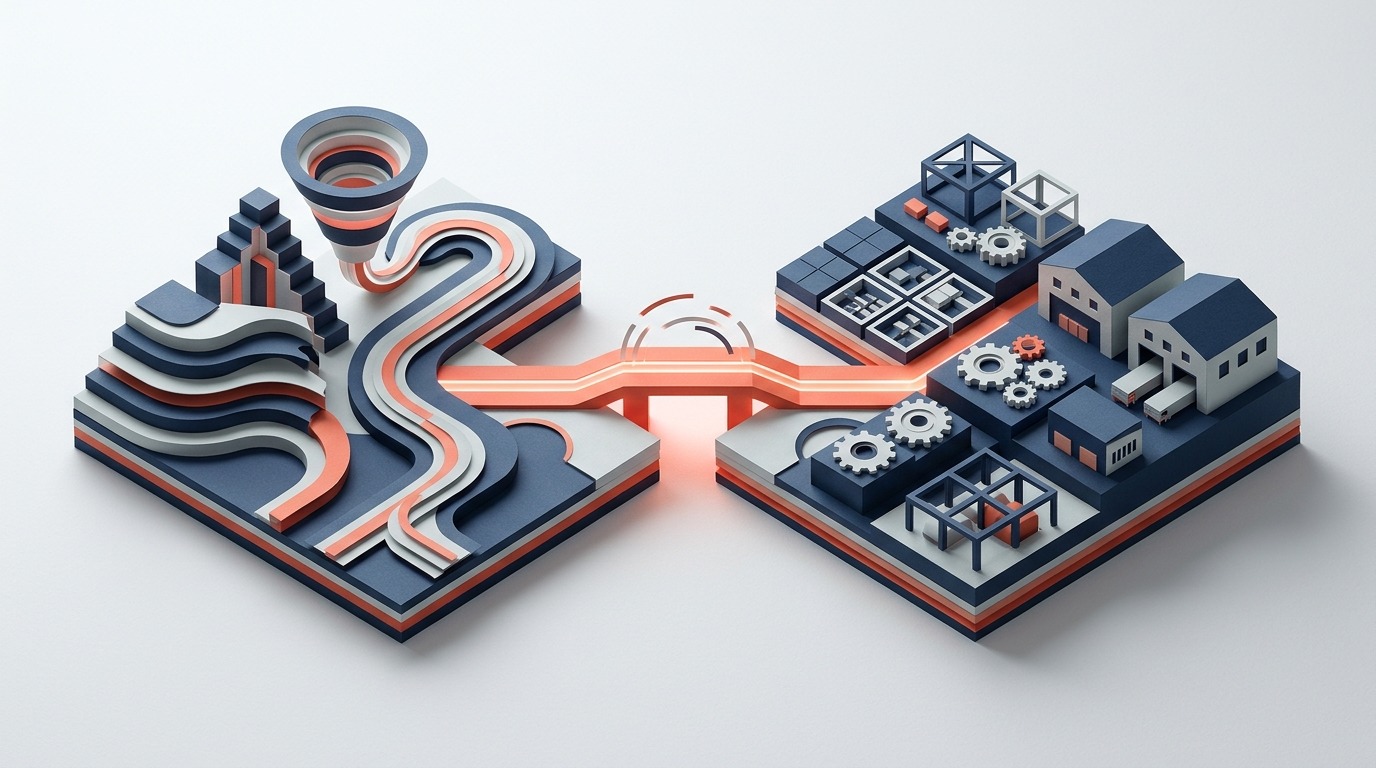
CRM vs ERP: Do You Need Both, or Is One System Enough?
The CRM vs ERP question comes up in almost every conversation with Singapore SMEs planning their business systems. The confusion is understandable: both systems manage customer data, both track transactions, and both vendors claim their product does what the other does. The reality is more nuanced, and the right answer depends on your business model.
What Each System Is Actually For
CRM (Customer Relationship Management) is designed to manage relationships before, during, and after the sale. Its core functions are lead and pipeline management, contact and account records, activity logging (calls, emails, meetings), quotation management, and in some systems, basic customer service case tracking. CRM is optimised for the sales and marketing team. Its data is primarily about people, conversations, and opportunities.
ERP (Enterprise Resource Planning) is designed to manage business operations. Its core functions are orders, inventory, purchasing, production, financial accounting, and reporting. ERP is optimised for operations and finance. Its data is primarily about transactions, inventory, and money.
The simplest way to remember the distinction: CRM manages potential revenue, ERP manages the delivery and accounting of confirmed revenue.
Where the Two Systems Overlap
Modern ERP systems include CRM modules. Modern CRM systems include basic order management features. This creates genuine overlap in the middle that confuses buyers.
The ERP’s CRM module typically covers: customer master data, contact records, quotation creation, sales order management, and basic activity logging. It does not typically cover: sophisticated pipeline analytics, email integration with communication history, marketing automation, or lead scoring.
The CRM’s order management features typically cover: basic quote-to-order conversion and order status tracking. They do not typically cover: inventory management, warehouse operations, purchase order management, or financial accounting.
The question is which side of the overlap your primary need falls on.
When You Need CRM Plus ERP
You genuinely need both systems when:
- You have a dedicated sales team with a complex pipeline. If you have multiple salespeople managing long sales cycles with multiple stakeholders, you need the pipeline visibility, forecasting, and activity management that a dedicated CRM provides. The ERP’s CRM module is typically not designed for complex pipeline management.
- You do significant marketing with attribution requirements. If you’re running campaigns and need to track lead source through to closed revenue, a dedicated CRM with marketing integration is necessary. ERP systems do not typically have marketing functionality.
- Your post-sale support function is significant. Service businesses with complex case management needs typically require a dedicated CRM or service platform alongside the operational ERP.
When ERP With a Built-In CRM Module Is Enough
For most Singapore SMEs, the ERP’s built-in CRM module is sufficient when:
- Sales is primarily inbound or relationship-based rather than outbound with a long funnel
- The sales cycle is short and does not require complex pipeline tracking
- The primary sales activity is quotation and order management rather than long-term relationship cultivation
- The team is small enough that activity management does not require dedicated software
The advantage of using the ERP’s CRM module over a separate system is data coherence: the customer’s order history, outstanding balances, credit limit status, and pricing agreements are visible in the same system as the sales activity. A salesperson creating a quote can see current stock levels and the customer’s current outstanding balance without switching systems.
The Integration Problem With Two Separate Systems
When businesses run separate CRM and ERP systems, they face an integration problem: customer data exists in two places. A new customer created in the CRM needs to be created in the ERP before an order can be processed. A change to a customer’s address needs to be updated in both systems. Credit limit changes made in the ERP are not immediately visible in the CRM.
Integration middleware can synchronise data between systems, but it introduces complexity, cost, and a new failure point. The integration requires maintenance when either system upgrades. When data conflicts occur between the two systems, someone has to resolve them manually.
The businesses that benefit most from separate CRM and ERP are those whose CRM needs are substantial enough to justify the integration overhead. For most Singapore SMEs, this is not the case.
The Practical Decision Framework
Ask these three questions:
1. Do you have a dedicated sales team managing a complex multi-stage pipeline? If yes, evaluate dedicated CRM options alongside ERP. If no, start with ERP and evaluate whether the built-in CRM module meets your needs before adding a separate system.
2. Is your primary operational pain in the sales process or in the order fulfilment and finance process? If it is in fulfilment and finance, start with ERP. You can add CRM sophistication later. If it is genuinely in the sales process, you might start with CRM.
3. How much integration complexity can your team manage? Two separate systems that are not properly integrated are worse than one system that covers 80% of your needs. Be honest about your team’s capacity to manage two systems simultaneously.
For the majority of Singapore SMEs in distribution, manufacturing, construction, and professional services, starting with a strong ERP that includes a CRM module is the right sequence. The businesses that start with CRM and add ERP later almost always find they have a data cleanup and integration problem to solve. The businesses that start with ERP and add dedicated CRM when their sales operations genuinely need it have a much cleaner implementation path.
More Articles
Team Human and the Pro-Human AI Declaration, Fact-Checked: What Two Campaigns Say and What Holds Up
Two 2026 campaigns ask who stays in charge of AI: Team Human wants a global slowdown, the Pro-Human AI Declaration sets 33 principles. We read both so...
Read Article
Preschool and Childcare Management Software Singapore: From Enrolment to Fee Collection Without the Paperwork
Why Childcare Centres Need Better Systems Singapore’s early childhood education sector is growing, government subsidies, rising enrolment rates,...
Read Article
The Pro-Human AI Declaration for Business: 33 Principles and What Each Means for a Small Company
The Pro-Human AI Declaration has 33 principles. Which ones can a small business act on? Each principle in plain words, with a 15-question self-check, ...
Read Article